Kucoin is a Crypto Exchange based in Hongkong and hosted on Amazon Web Service. As with Binance (link a binance how to), we Will need to send our cryptos to this Exchange to buy our altcoins. How to send our cryptos bought with FIAT from Coinbase or Kraken (link a los how tos)
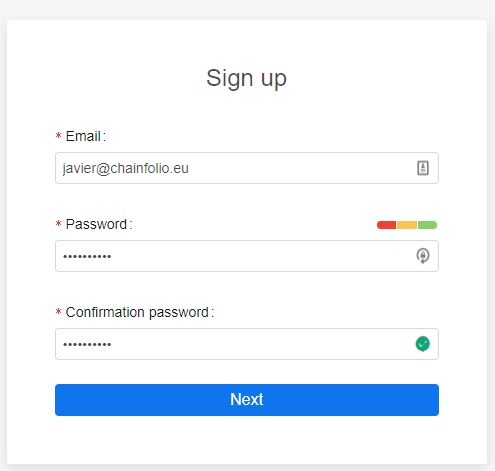
First we need to go to the registration page
As all the other registration to exchanges we need to fill an email and a password and confirm our email (check spam folder).
Once we confirmed the mail we are all setup to receive our cryptos so we can buy in the market.
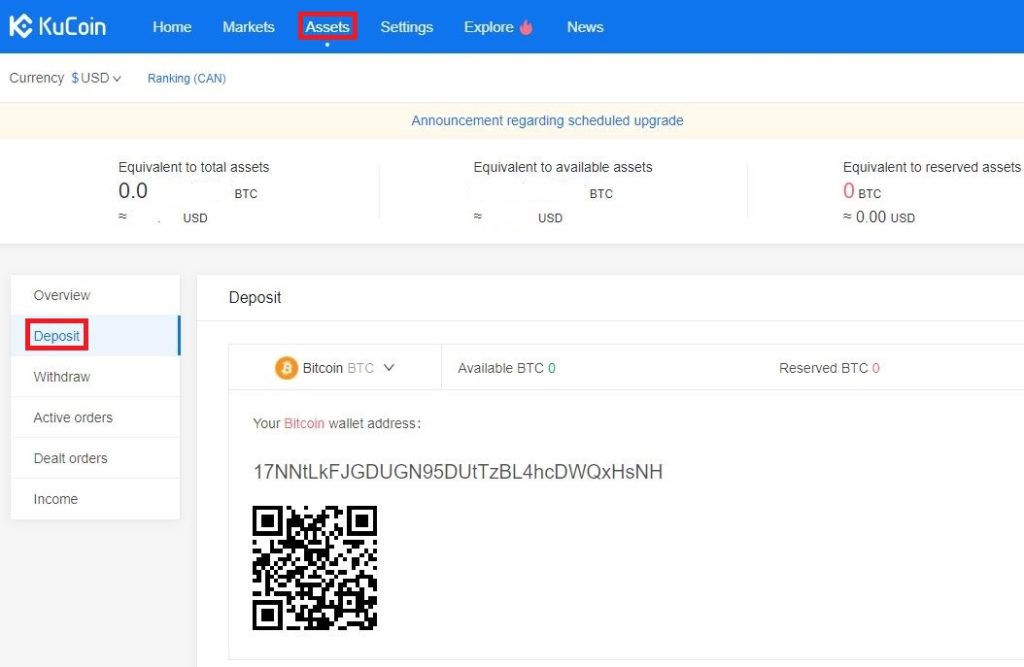
Once we log in in our kucoin account, we proceed to deposit the cryptos from our FIAT Exchange. In the top menú we click in the Assets tab, it Will show your balance of the different coins you gout in Kucoin Exchange. In the left menu by clicking in the deposit tab we can Access our wallet addresses of the diferent cypto we can send. For kucoin I recomend sending ETH or LTC cause they are faster and has less fees in the transaction.
Once we have our Public Key of the desired crypto we want to deposit, we go to Kraken or Coinbase withdrawal and paste the Public Key from Kucoin.
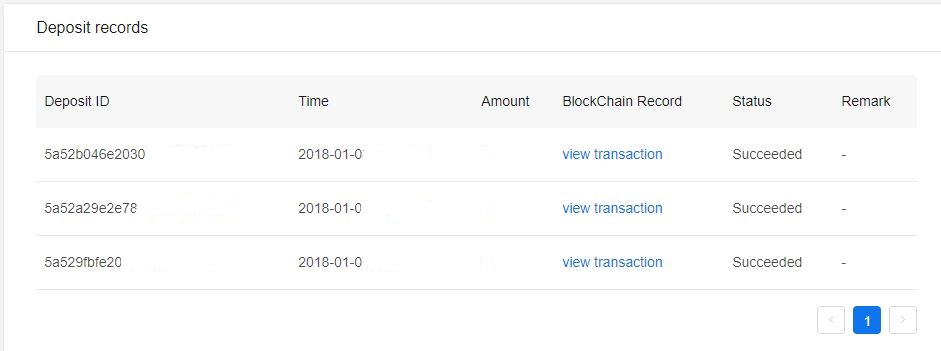
After doing the withdrawal we can see in the lower part of the deposit page in Kucoin track our deposit, once the transaction was validated a couple of times (from minutes to hours depending on the crypto and traffic in the blockchain) we can start trading.
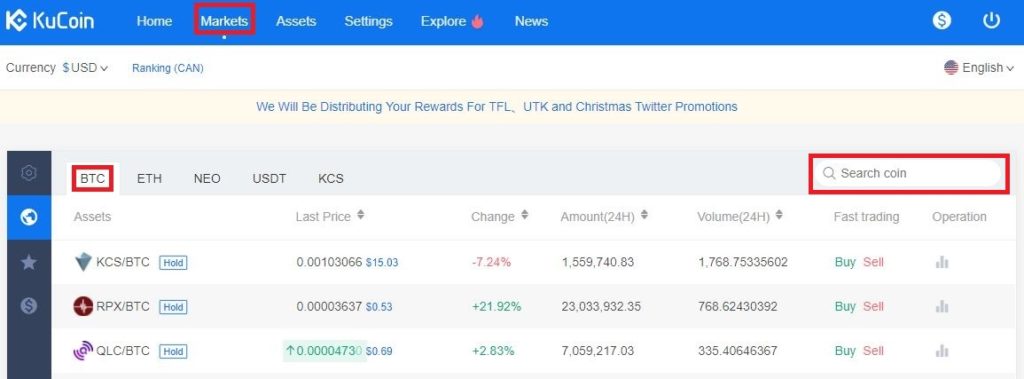
Clicking the Market tab in the top menu, we Will choose the pairing we deposited to Kucoin, Btc or Eth. Search the coin we want to trade in the right and click that pairing.
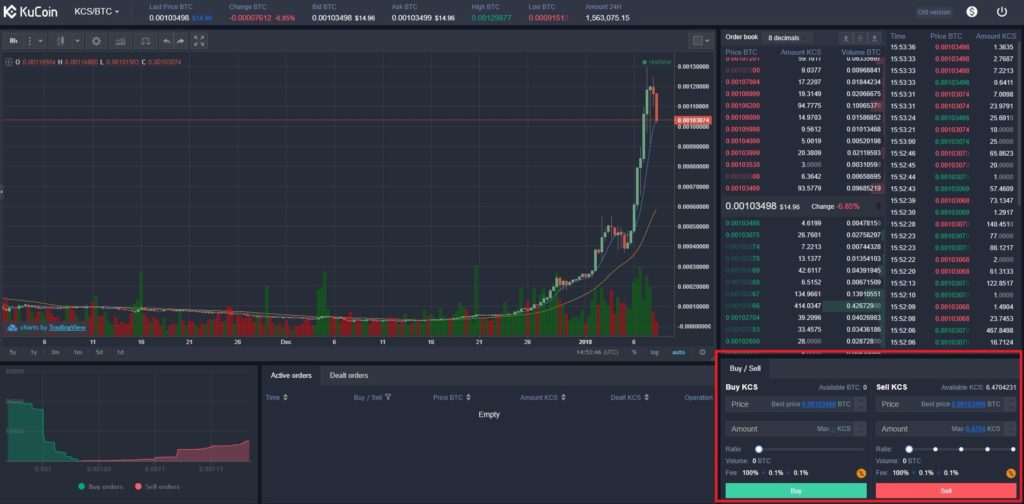
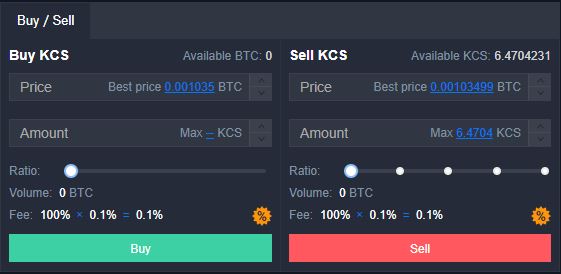
In the bottom left of the trading webpage we can see where we Will edit our trades
In the bottom left of the trading webpage we can see where we Will edit our trades